100 brushing stories, and the bugs no interpreter caught
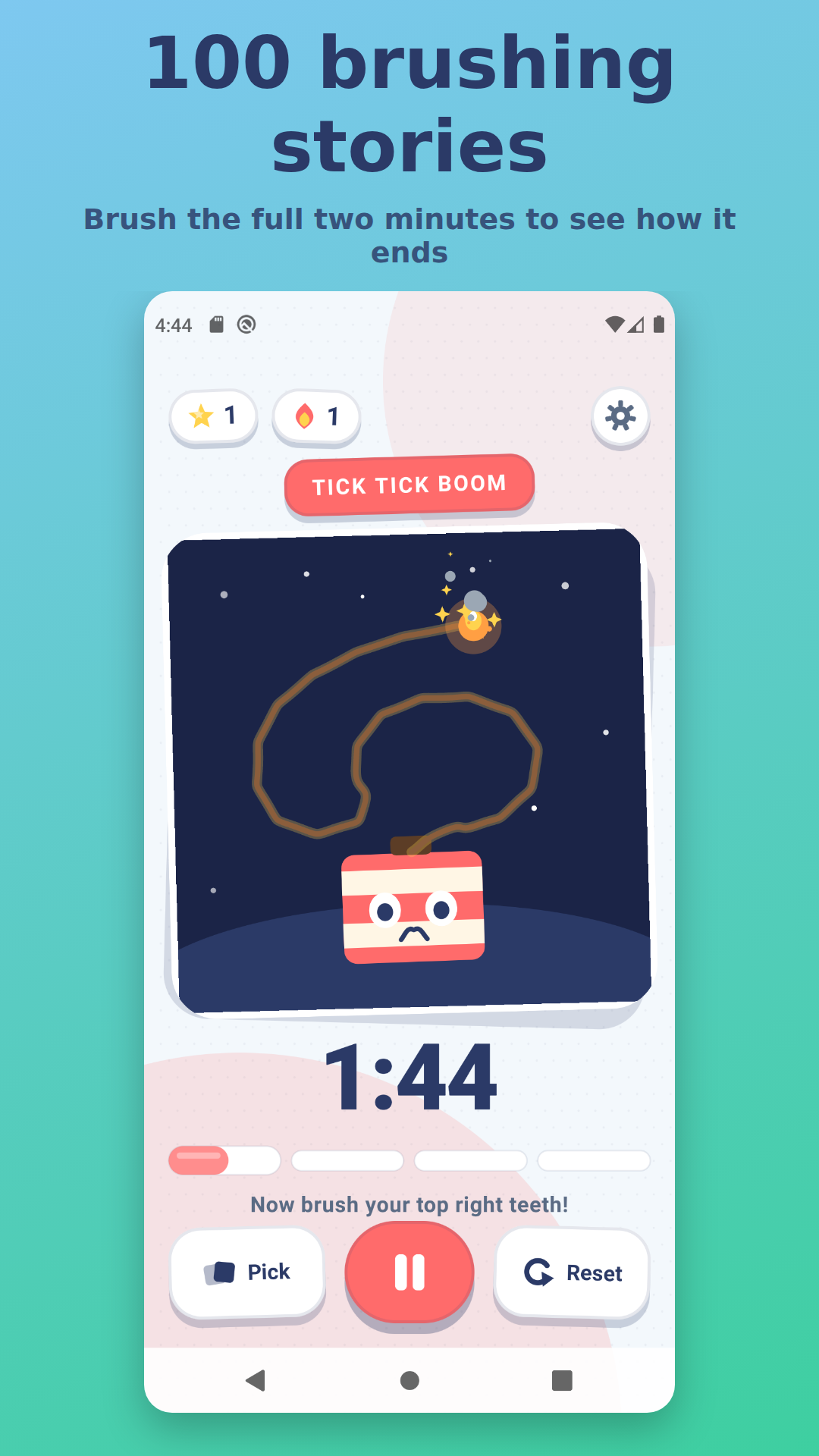
Funny Tooth Timer is a two-minute toothbrushing timer for kids. Pick a story, press start, and the story only reaches its payoff if the brushing does: a very long fuse burns down and explodes, a rocket fills its tank and launches, sugar bugs get scrubbed off a worried tooth. Stop brushing and the story stops with you. It's Kotlin Multiplatform with Compose Multiplatform, one shared UI for Android and iOS, and every story is a Lottie animation.
When I started it had fourteen stories. It now has a hundred. This post is about how those animations get made, and about the one lesson that every single batch of them taught me again: nothing in the pipeline except the rendered picture ever told me an animation was wrong.
The contract: 900 frames of story, 100 of payoff
Every animation is 1000 frames long and obeys the same rule. Frames 0 to 900 are driven by brushing progress: the app scrubs the Lottie to whatever frame matches how much of the two minutes is done, so something visibly builds, fills, grows or climbs as the child brushes. Frames 900 to 1000 are the finale, played through once when the session completes. That's the whole interface between the timer and the artwork. A rocket, for example, gets assembled piece by piece on its gantry while a fuel gauge fills, and only after frame 900 does it lift off:
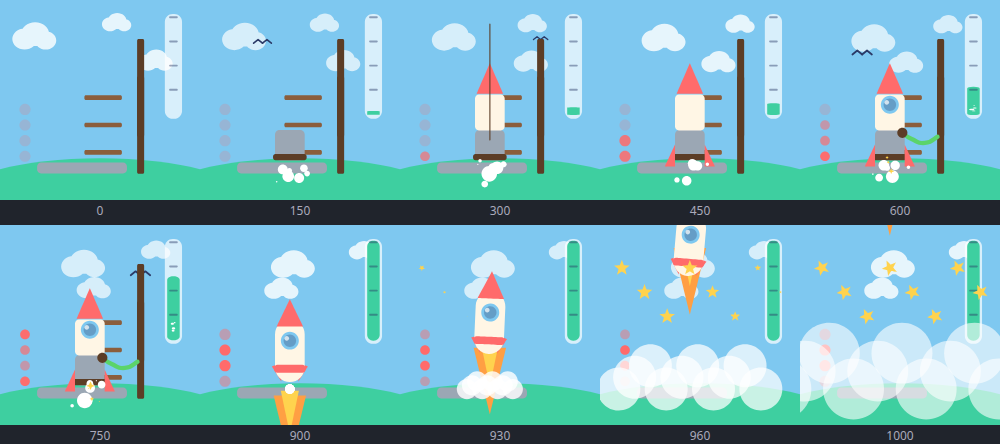
That contact sheet, ten sampled frames with their frame numbers, is the output of the one tool in this pipeline that actually matters. More on that shortly.
Animations are Python functions
I don't own After Effects and didn't want a hundred hand-authored JSON files anyway. Instead there's a small Python DSL, lottiekit.py, with helpers for shapes (rect, ellipse, bezier, star), fills and strokes, keyframes (kf), particle emitters, and idle motion like breathe() and wobble(). Each animation is one builder function in animations.py that returns a scene. This is the unicorn's finale, four stacked rainbow arcs that scale in from frame 900:
for i, (dy, col, wid) in enumerate([(60, CORAL, 30), (40, PINK, 24),
                                    (24, PURPLE, 22), (10, SKY, 18)]):
    a.layer([group([bezier([(-150, 0), (0, -30), (150, 0)],
                           tangents=[(0,0,60,-20),(-50,-10,50,-10),
                                     (-60,-20,0,0)]),
                    stroke(col, wid, opacity=85)])],
            name=f"rainbow{i}", ip=STORY_END, pos=(256, 320 + dy),
            scale=kf([(STORY_END, [8,8]), (STORY_END+30, [110,110])], ease=True))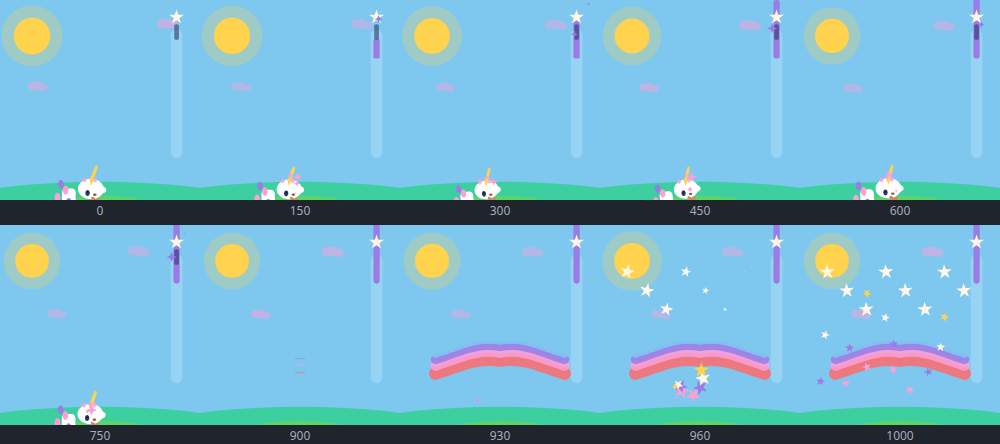
Two scripts sit on top of that. build.py runs the builders and writes the JSON into both the Android assets folder and the iOS resources folder, printing a size and layer count per animation. preview.py loads the freshly built JSON into lottie-web in headless Chrome, jumps to ten frames, and screenshots them into the contact sheet above. Adding a story to the app is then: write a function, build, preview, look, add a catalogue entry with an emoji and an accent colour, add a title and blurb string, run the shared unit tests.
Getting from fourteen to a hundred
The catalogue grew in batches: two, then three, then ten, then a drop of thirty split across three parallel agents, then forty across four. The only coordination the parallel batches needed was that ids, emoji and accent colours were assigned up front, before anyone wrote code, so nothing collided when the branches merged. Each batch ran in its own git worktree, which surfaced a small recurring gotcha: local.properties with the Android SDK path is gitignored, so a fresh worktree can't run Gradle until you copy it in.
One batch got a weirder problem. The session was interrupted mid-task partway through the tenth animation, a hot air balloon. While it was down, the repo's automated ship script picked up the half-finished working tree, wrote its own hot air balloon, built it, and released it as v1.0.24. When the session resumed it wrote a second def hot_air_balloon() into the same file. Python happily keeps the last definition, so nothing errored. The tell was a git diff --stat showing zero changes after an edit that should have added a hundred lines.
The render is the test
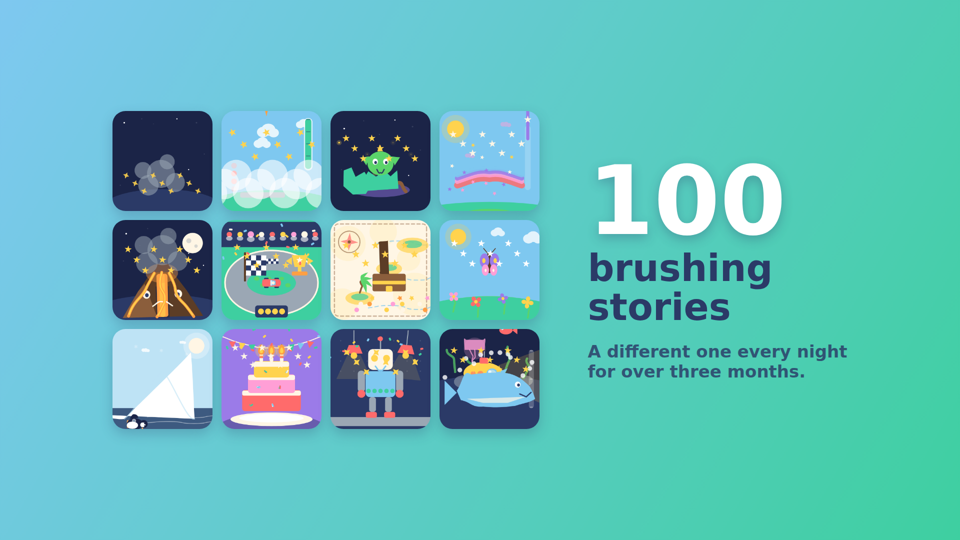
Every batch's journal entry has a section called “what didn't work”, and reading them back to back the pattern is embarrassing. Almost none of the real bugs raised a Python exception. ast.parse was green. build.py printed a tidy size and layer count. The JSON loaded. And the animation was wrong in a way you could only see by looking at the contact sheet. A partial catalogue:
- The superhero was a floating head. I'd copied the
pos=(208, 560)from the dinosaur onto a much taller character on a 512-pixel canvas, so everything below the neck rendered off the bottom of the frame. Same batch:rect(pos, size)centres onpos, it isn't a top-left box, so the knight's belt sat at his throat. - Camouflage, five times. The knight's armour was the same grey as the castle towers behind him. The soccer kid's legs were pitch green. The wizard's cauldron was filled with the night-sky colour. The watering can was sky blue against the sky. The magician's cape was a near-black purple on a near-black purple stage. Each journal entry warned the next one about this, and it happened anyway in the next fresh session.
- An orphaned wand. The character disappears at frame 900 (
op=STORY_END) so the finale can be pure effects. The wand was a separate layer parented to the kid for transform inheritance, but parenting does not propagate the out-point. Kid vanished, wand kept floating. - A kite that never climbed. The finale loop was written by assigning a fresh
kf([...])starting at frame 900 to the kite's position, which erased every earlier keyframe. Lottie held the first defined value for the whole story, so the kite sat still for two minutes and then did a victory lap. The safe pattern turned out to be: build the entire frame list in Python first and callkf()exactly once. - A pitcher that couldn't fill. The lemonade was a 20px rect scaled from 4% to 100%. Percentage scale multiplies the shape's own size, so it topped out at 20px inside a 250px glass. The base shape has to already be the full height, with the growth expressed as a small starting scale.
- Candies queued above the jar. Each candy's position track started at frame 0 at its pre-drop coordinate, which is a perfectly visible place. Sixteen candies sat in a neat row above the jar for the whole story. A position track for “later” isn't enough; anything that doesn't exist yet needs an opacity-zero hold until it does.
- A paper-thin tractor. Flipping a vehicle by tweening scale from +100 to −100 passes through zero, so for most of each row the tractor was a vertical sliver. Direction flips need
hold=Trueso the value steps instead of tweens. - Carousel horses in the ceiling. Horses parented to a platform that rotates 300° works for a ferris wheel, which really is a circle viewed head-on. A carousel seen from the side is not, and a horse rotated 90° in-plane swings straight up into the canopy. The fix was an elliptical orbit sampled as explicit position keyframes.
- A genie lamp that never glowed. Shape-level fill opacity and layer-level opacity multiply. 25% on the fill times 85% on the layer is a dull grey smudge, no matter how much brushing happens.
And then there's the one that isn't silent so much as loud in the wrong place. bezier(points, tangents=...) in the DSL does no check that the two lists are the same length. Supply four points and three tangents and Python is fine, build.py is fine, the JSON is written. Then lottie-web throws partway through its synchronous render pass and leaves every <path> in the SVG empty, so the whole contact sheet comes back solid black, all ten frames, including the plain background rectangle that had nothing to do with the bug. The second time it happened in the same session the symptom was different: headless Chrome hung at 100% CPU and never wrote a screenshot at all. The same off-by-one, two completely different failures, and the diagnosis both times was dumping the DOM, finding paths with no d attribute, and counting tuples by hand.
The point of all this isn't that the DSL is bad, though it clearly wants a tangent-count assertion and a foreground-versus-background colour lint. It's that for a hundred small scenes, the thing being tested is whether a picture looks like a rocket, and no amount of green output from earlier stages says anything about that. Every batch settled into the same loop: write one function, build, preview, actually look at the PNG, then start the next. Every time that loop got skipped for “just one quick one”, the quick one was the broken one.
The bug that wasn't in the code
After sixty-odd releases the app had zero downloads. So I went looking in the store listing, and the first paragraph said:
Fourteen animated stories: TNT, rocket launch, sugar bugs…
The assets folder had a hundred JSON files. The single biggest thing the app has going for it, where competitors ship five stories, was invisible to anyone who opened the page. The generated assets in this repo stay correct because they're regenerated from scripts; the prose in the store folder is not generated, so it silently rotted while the number underneath it went up. Anything that states a count of something the build produces should either be generated too, or be checked every time that thing changes.
The listing got a proper pass after that. The title became “Funny Tooth: Kids Brush Timer”, because at zero downloads there's no brand to protect and Play weights the title heavily for search. The feature graphic was redesigned around the numeral, since Play renders it small enough that a sentence is unreadable but “100” is not. And the promo video is now generated from the same shipped Lottie JSON as everything else: each frame is an HTML page that drives the real animation to an exact frame with goToAndStop and rasterises it in headless Chrome, the same trick preview.py uses. Chrome costs about two seconds per launch, and 23 seconds at 24fps is 552 frames, so the naive loop was eighteen minutes; stacking a batch of frames vertically on one tall page, screenshotting once, and slicing with PIL made it usable.
If you have a child who negotiates every second of toothbrushing, Funny Tooth Timer is free on Google Play. Three stories are open from the start, the rest unlock by watching a short video or with one small purchase.
Get Funny Tooth Timer on Google Play →
And if you'd like to support this kind of tinkering directly, there's a Buy Me a Coffee link on my about page.